
Pass the Aux. Keep Your Phone.
One person ends up running the music all night. DJ Access hands over real control, to as many people as you like, without giving up your phone or your account.
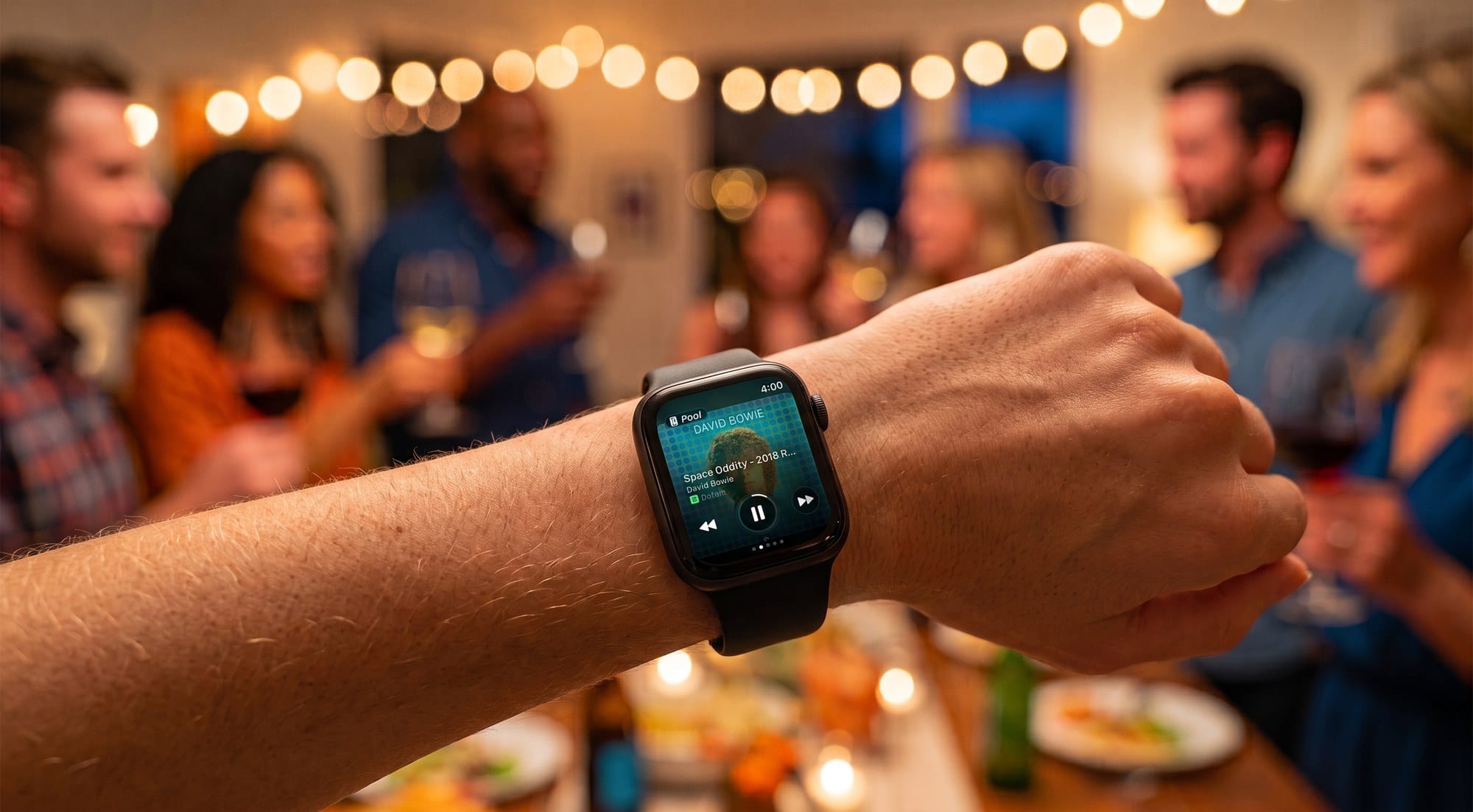
Every gathering has the person who ends up running the music. They picked the first playlist, so now they own it for the night. Fielding requests across the kitchen, walking back to their phone between conversations, apologising for the song nobody likes.
The alternatives are worse. Hand someone your unlocked phone and they see your texts. Read your Sonos account details out loud and you have given away your account. So most of the time nobody hands anything over, and one person keeps the job they did not ask for.
DJ Access is the third option. You make someone a DJ, and they run the music from their own iPhone or Apple Watch, wherever they happen to be standing.
Want to DJ someone's Sonos, or just been made one? Skip to your part.
How to let someone else control your Sonos
You sign in to Nudge once, as the owner. After that it works in both directions, and the more common one is that people ask.
They ask, you approve
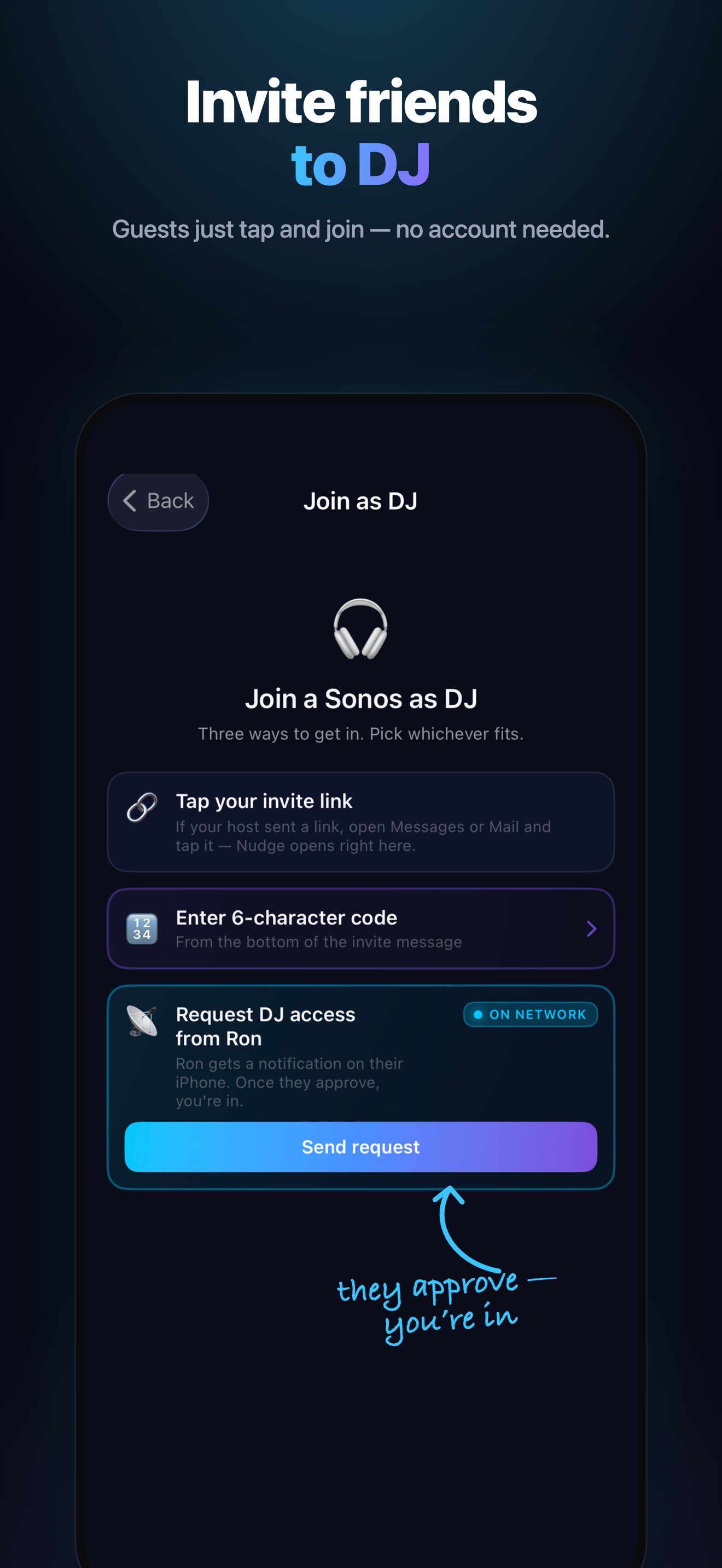
Someone at your place opens Nudge on their own phone, sees your system, and taps Request DJ Access.
- Their request arrives as a notification on your phone or your wrist.
- You accept or reject it with one tap.
- That is it.
Nobody has to interrupt you across a crowded kitchen, and you are not fielding "can I put something on?" all night. The question becomes a notification, and the answer is a tap. You can say no, and nothing awkward happens.
You offer
When you want to hand it over first, there are three ways:
- Scan a QR code from your phone or watch
- Share a code they type in
- Send it in Apple Messages to anyone in your thread
No password said out loud, no account handed over, no phone passed around the room.
And you can take it back
Revoke DJ access at any time, from anywhere, including when you are nowhere near your speakers. Nobody keeps control of your music because they once came to dinner.
What changes when someone becomes a DJ
Anyone on your Wi-Fi who opens Nudge can already do a fair amount without an invite: play, pause, skip, volume, and your Favorites, including searching within them. That is enough to turn it down or put on something you have already saved.
Becoming a DJ changes the ceiling. A DJ gets the host's full catalog, not just the saved shortcuts:
- Search everything you can search. Not just your Favorites, but your entire library across every service connected to your Sonos. Someone calls out a song from across the room and it is queued before they finish the sentence.
- Your services, not theirs. A DJ searching your system sees your catalog. They do not need accounts of their own, and yours stay yours.
- The queue is theirs to run. Add tracks, add playlists, keep it moving. Nobody stands around waiting for the host to notice the silence.
- Play modes. Shuffle, repeat, the things that turn a queue into an evening.
- Rooms and groups. Move the music to the kitchen, group the patio in, split it back out when people head inside.
That is the whole design. Someone who can only nudge the volume is not a DJ, they are a person holding a remote. If you are going to hand over the music, hand over the music.
None of it touches your account. The DJ never sees your credentials, never signs in to your Sonos, and never gets administrative access to your system.
Why DJ Access is free, and stays free
There is no cap and no charge. Make as many DJs as you like, at every gathering, forever. Nobody hits a paywall and nobody sees an upsell in the middle of your party.
That is deliberate, and it is where we differ from other third-party Sonos controllers, most of which put the shared experience behind their subscription. A Sonos system in a home belongs to the home. Charging per person for the thing that makes it social gets the product backwards.
One subscription covers the owner. Apple Family Sharing extends the full app to up to six family members. Everyone else DJs free.
If you want to DJ someone's Sonos
Two ways you get here. Either an invite landed on your phone and you accepted it, or you opened Nudge at someone's place and tapped Request DJ Access and they approved you. Asking is normal. It is a notification on their end, not an interruption.
You have the host's whole catalog to work with, from your iPhone or straight from your wrist. Search it the way you would search your own, queue what people ask for, group the patio in when everyone drifts outside. You will not be asked to sign in to anything of theirs, and you will not be asked to pay.
Being a DJ is free, with no time limit. There is no trial counting down and no upgrade prompt waiting for you.
And it works the same way at home. Nudge is a Sonos controller for iPhone and Apple Watch. The Digital Crown becomes a volume knob with a haptic click on every tick, album art fills the iPhone screen, and the controls sit on your Lock Screen and in the Dynamic Island. The same app you were just using, pointed at your own speakers.
Running your own system is $14.99 a year with a 7-day trial, and that one subscription covers your household and every DJ you invite. See the pricing page, or get the app.
What you need
An iPhone on iOS 18.6 or later, and Nudge installed. Apple Watch features need a Series 6 or later on watchOS 11.6 or later. Sonos speakers on your Wi-Fi, and S1 and S2 both work.
DJs need Nudge on their own iPhone. Nothing else: no account with us, no sign-in to your Sonos, no setup.
More detail on both sides of this in Help & Support, which has sections on DJ Access and on being a DJ.
For the wider picture on controlling Sonos without reaching for the app, see How to Use Sonos Without the App.
For what Nudge is generally, start here.